
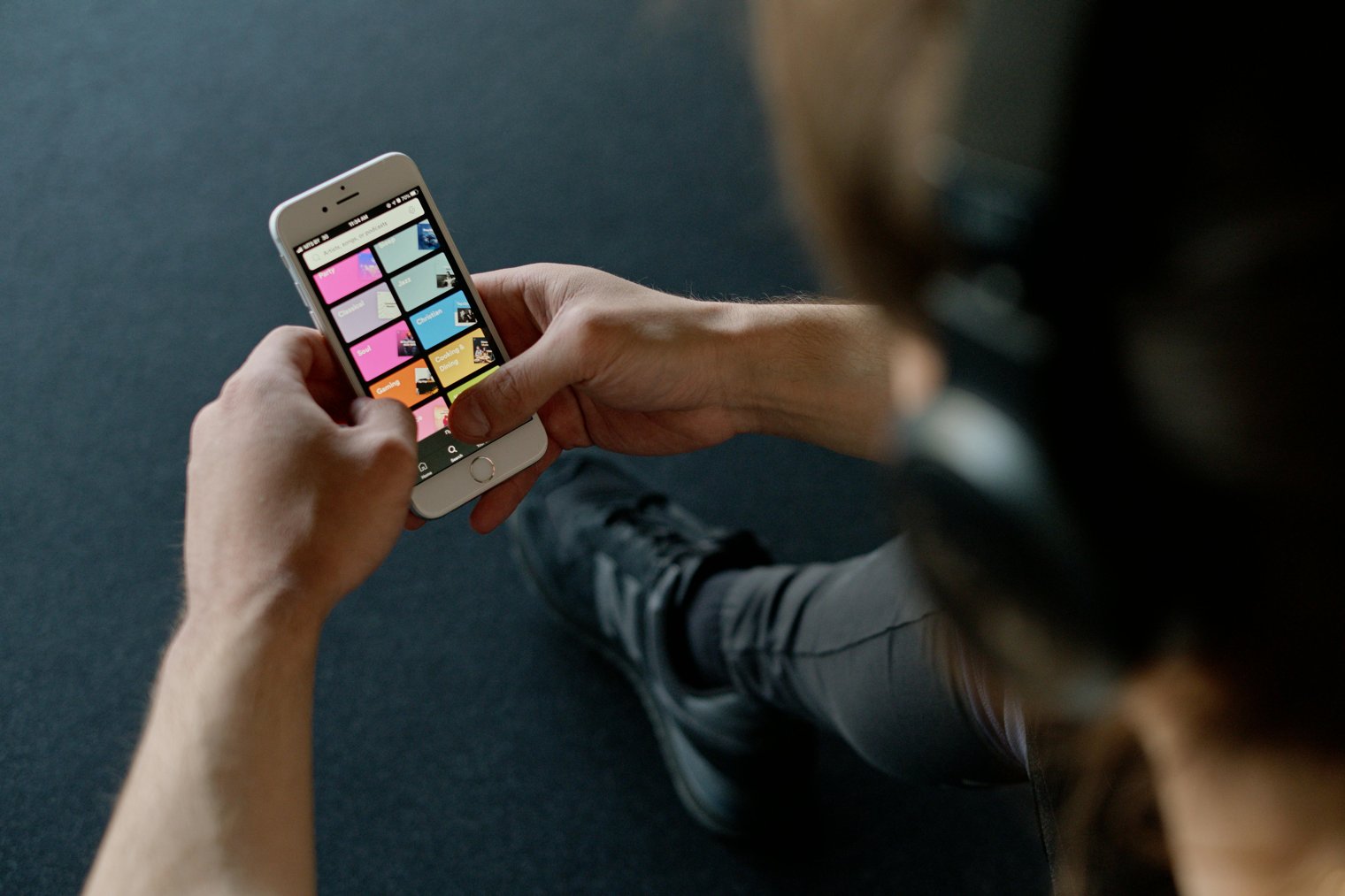
Elevate your workout with the perfect beats curate your motivation, one song at a time.
In this scenario, you’re creating a custom workout playlist on Spotify, choosing songs that energize you and keep you motivated. The process involves browsing your favorite genres, exploring new tracks, and adding them to a curated list specifically for workouts. Whether you’re running, lifting, or doing yoga, the right music can significantly enhance your workout experience, keeping you focused and energized.
9:00 AM: You open the Spotify app and decide to create a playlist specifically for your morning workout.
9:10 AM: You start searching for high-energy songs that get you moving and add them to the playlist.
9:30 AM: You review the playlist, making sure to add a good mix of songs for different workout stages.
9:45 AM: You test the playlist during a warm-up session, adjusting the tempo of songs as needed.
10:00 AM: The playlist is ready, and you’re excited to play it during your next workout.
Spotify (Music Streaming Service)
Overview: Spotify is a music streaming platform where you can create personalized playlists for any occasion, including workouts.:
Landmarks: Search bar, playlist creation tool, song recommendations based on mood.:
Tips: Explore Spotify's curated workout playlists for inspiration or tailor your own playlist using genre and tempo filters.:
Apple Music (Music Streaming Service)
Overview: Apple Music offers similar functionality to Spotify, with easy playlist creation, and includes a large catalog of workout-focused playlists.:
Landmarks: Library tab, curated workout playlists, personalized recommendations.:
Tips: If you're already in the Apple ecosystem, Apple Music's seamless integration with other devices makes it an easy choice.:
YouTube Music (Music Streaming Service)
Overview: YouTube Music is another platform where you can create workout playlists by searching for high-energy music videos or playlists.:
Landmarks: Trending music videos, workout playlists, video streaming capabilities.:
Tips: Use YouTube Music's mix of music videos and audio tracks for a dynamic workout playlist.:
Optimizing Your Playlist for Workout Phases
Deezer (Music Streaming Service)
Tidal (Music Streaming Platform with High-Quality Sound)
Amazon Music (Streaming Service for Amazon Users)
Google Play Music (Streaming Service)
SoundCloud (Platform for Discovering Independent Music)
Apple Podcasts (For Workout-related Podcasts)
YouTube (For Music Video Playlists)
Spotify Premium (Upgrade for Music Without Ads)
Pandora (Streaming Music Service with Personalized Stations)
Napster (Music Streaming Platform with Workout Playlists)
iHeartRadio (For Workout Radio Stations)
Shazam (Music Discovery and Song Identification App)
Tracklib (Music Platform for DJs and Creators)
Mixcloud (Platform for DJs and Curated Playlists)
Juno Download (For Downloading Workout Tracks)
Discogs (Platform for Vinyl and Physical Music)
Bandcamp (For Discovering Independent Artists)
Beatport (Electronic Music Platform)
Free Music Archive (Platform for Free Music Downloads)
8tracks (User-Generated Playlist Streaming Service)
SoundHound (Music Identification App)
Musixmatch (For Lyrics and Song Search)
TuneIn (Live Radio Streaming Service)
Rdio (Music Streaming Platform)
Jamendo (Platform for Free Music Streaming)
Fitness, Personalization, Music, Motivation, Energy
1. Spotify: Music Streaming Service
2. Apple Music: For Personalized Music Playlists
3. Tidal: For High-Quality Audio
4. Deezer: Streaming Service for Music
5. SoundCloud: For Discovering New Music Artists
6. YouTube Music: For Music Videos
7. Google Play Music: For Playlist Creation
8. Amazon Music: For Streaming
9. Pandora: For Customized Radio Stations
10. Napster: For Music Discovery
11. Juno Download: For Workout Tracks
12. iHeartRadio: For Radio Stations
13. Bandcamp: For Indie Music Albums
14. Mixcloud: For DJ Sets
15. Musixmatch: For Lyrics
16. Shazam: For Song Identification
17. TuneIn: For Radio Stations
18. SoundHound: For Music Identification
19. Rdio: Music Streaming
20. Free Music Archive: For Free Music
21. Beatport: For Electronic Music
22. 8tracks: For Custom Playlists
23. Tracklib: For Beat Creation and Music Discovery
24. Discogs: For Vinyl Collectors
25. Jamendo: For Free Music and Artists
26. SoundCloud Go+: Premium Streaming
27. Podcast Addict: For Podcasts with Workout Content
28. Sling TV: For Workout Streaming Shows
29. Facebook: For Sharing Playlists
30. Instagram: For Sharing Workout Music
31. YouTube: For Sharing Music Playlists
32. Amazon Echo: Smart Speaker for Music Control
33. Bose: For High-Quality Speakers
34. Beats by Dre: For Workout Headphones
35. JBL: For Portable Workout Speakers
36. Sonos: For Home Audio
37. Apple AirPods: Wireless Headphones for Workout
38. Logitech: For Music Control
39. Razer: For Gaming and Music
40. Skullcandy: For Music Headphones
41. Sennheiser: For Quality Sound
42. Bang & Olufsen: Premium Headphones
43. JBL Charge: Portable Speakers for Music
44. Beats Powerbeats: For Sports Workouts
45. Skullcandy Crusher: For Music Lovers
46. Samsung Gear Fit: For Fitness Tracking
47. Garmin Forerunner: For Tracking Music and Fitness
48. Fitbit: For Workout Music Control
49. GoPro: For Capturing Workout Videos
50. Polar: For Fitness and Music Integration
1. Spotify (For Creating and Organizing Your Playlist)
2. Apple Music (For Adding Favorite Songs to Playlist)
3. Tidal (For High-Quality Streaming)
4. YouTube (For Music Video Integration)
5. Shazam (For Song Discovery)
6. Amazon Music (For Song Suggestions)
7. Deezer (For Personalized Workout Music)
8. SoundCloud (For Independent Workout Music)
9. Tracklib (For Unique Beats)
10. Pandora (For Radio Stations)
• Smartphone (For Playlist Creation):
• Spotify Account (For Streaming Music):
• Headphones (For Listening to Music):
• Bluetooth Speaker (For Workout Tunes):
• Music App (Spotify, Apple Music, Tidal):
• Workout Clothes (For Comfort During Exercise):
• Internet Connection (For Music Streaming):
• Laptop/PC (For Playlist Management):
• Fitness Tracker (For Monitoring Workout Progress):
• Smart Speaker (For Hands-Free Music Control):
• Beats by Dre (Headphones)
• JBL Flip (Portable Bluetooth Speaker)
• Bose SoundSport (Wireless Headphones)
• Apple Music (Subscription Service)
• Sony WH-1000XM4 (Noise-Canceling Headphones)
• Connectivity Issues: Music streaming can be interrupted due to weak internet connection.
• Song Selection: It’s difficult to find the perfect song every time.
• Battery Life: Devices may run out of battery during the workout.
• Limited Songs: Music library may not have all the tracks you want.
• Advertisements: Free music apps often have ads.
• Interruptions: Phone notifications interrupt music flow.
• Syncing Issues: Playlist may not sync across all devices.
• Curating Playlists: Regularly add new songs to your workout playlist.
• Testing New Music: Experiment with different genres for variety.
• Pre-Workout Ritual: Choose the playlist before the workout to set the tone.
• Playlist Management: Remove old or unused songs to keep playlists fresh.
• Syncing Devices: Sync your playlist across multiple devices for easy access.
• Mixing Genres: Incorporate different music styles for various workout phases.
• Sharing Playlists: Share your workout playlist with friends or social media.
• Share Playlist: Share the playlist with friends or on social media.
• Update Playlist: Refresh the playlist with new songs for the next workout.
• Delete Playlist: Remove the playlist if no longer needed.
• Subscribe to Premium: Consider upgrading for an ad-free experience.
• Experiment with New Music: Start a new playlist with different music genres.
Events
You must log in to add an event.
Events for this Scenario
No events found for this scenario yet.
Experiences
Please log in to share your experience.