
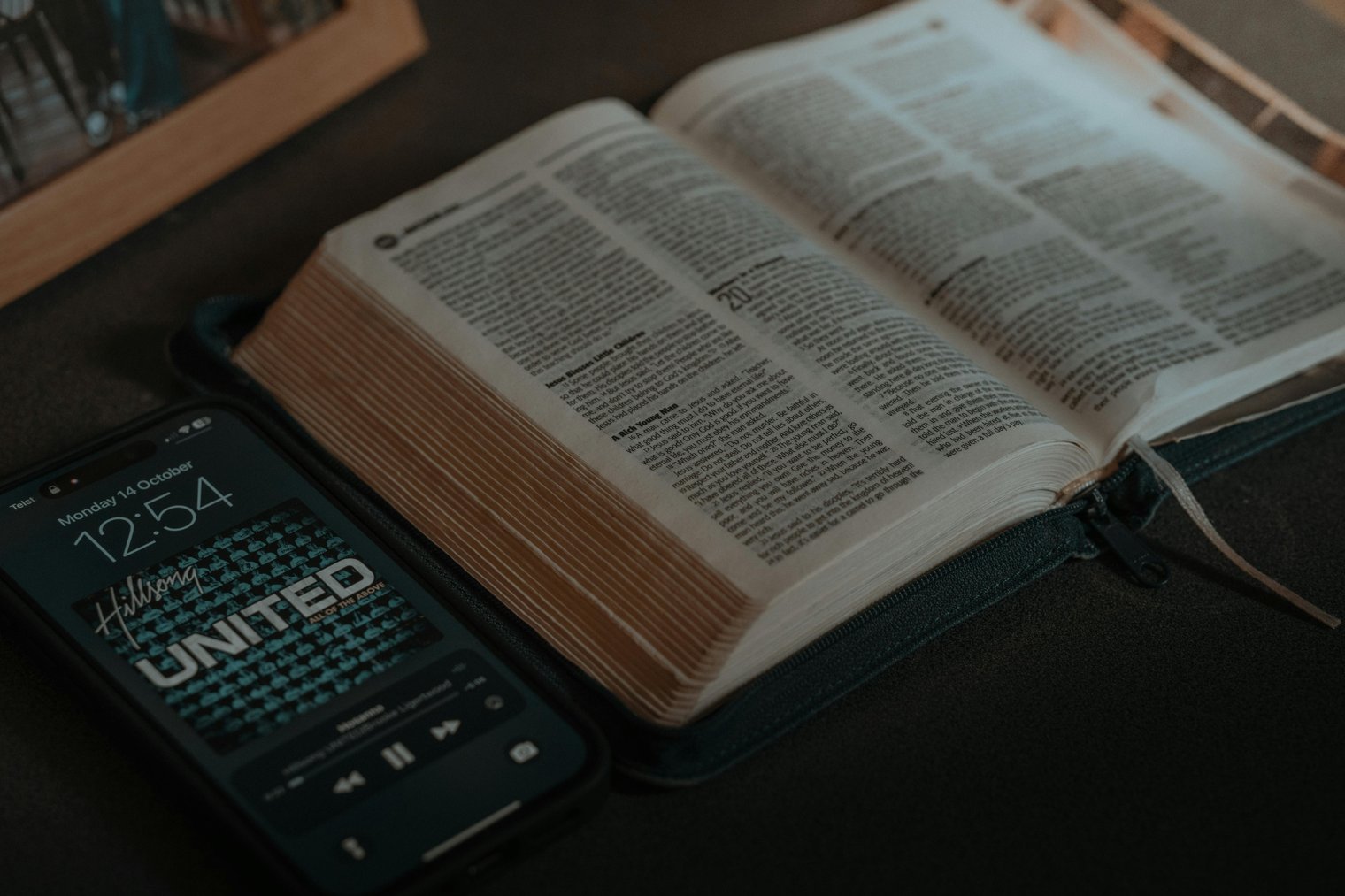
Curate the perfect vibe, one song at a time.
Making a playlist is more than just collecting songs it’s about curating a collection of tracks that express a mood, tell a story, or set the perfect atmosphere for an event. Whether you’re crafting the ultimate workout mix or the soundtrack for a dinner party, this process involves browsing through your music library, considering the vibe, and arranging songs in a cohesive order. The experience is creative and personal, with the end result being something that resonates with your emotions or the occasion you’re preparing for.
5:30 PM: You open your music app and begin browsing for songs to add to your playlist.
5:45 PM: You start adding your favorite songs, selecting tracks that match the mood you want to create.
6:00 PM: You rearrange the order of the songs, making sure the transition between each track is smooth.
6:10 PM: You add a few more songs to complete the playlist and start previewing it to ensure everything flows well.
6:20 PM: You hit "save" and share the playlist with your friends or family, feeling accomplished and excited about the music mix.
Spotify (Online)
Overview: A popular music streaming service that allows you to create, curate, and share playlists.
Landmarks: The playlist creation interface with song suggestions, genre options, and the search bar.
Tips: Use the "Discover Weekly" feature for fresh tracks that match your playlist's vibe.
Apple Music (Online)
Overview: A music streaming service offering curated playlists and a vast library of songs.
Landmarks: The "For You" section where personalized playlists and recommendations can be found.
Tips: Take advantage of the curated playlists or create your own from scratch, adding your favorite tracks.
YouTube (Online)
Overview: A video-sharing platform that also allows users to create playlists of their favorite songs and videos.
Landmarks: The playlist creation tool and the ability to add music videos directly to your list.
Tips: YouTube is great for music videos and live performances, making it ideal for creating video-based playlists.
Spotify (Online)
Apple Music (Online)
YouTube (Online)
Amazon Music (Online)
Tidal (Online)
Deezer (Online)
SoundCloud (Online)
Pandora (Online)
Google Play Music (Online)
iTunes (Online)
Shazam (Music identification app)
Last.fm (Online)
Bandcamp (Online music platform)
8tracks (Online)
Radio.com (Online radio and playlist service)
TuneIn (Online streaming service)
Audible (Audiobooks and podcasts, complementary to music)
Slacker Radio (Online radio service)
Napster (Music streaming service)
Mixcloud (DJ sets and music mixes)
Jango (Free internet radio)
Songza (Music curation service)
Live365 (Internet radio)
Pandora (Music discovery)
Deezer (Music streaming)
iHeartRadio (Online radio service)
Music, creativity, personalization, entertainment, mood-setting
1. Spotify: Music streaming service
2. Apple Music: Music streaming service
3. YouTube: Video platform
4. Tidal: Music streaming
5. Pandora: Music streaming
6. Amazon Music: Music streaming
7. Deezer: Music streaming
8. Google Play Music: Music streaming
9. SoundCloud: Music platform
10. YouTube Music: Music streaming
11. iTunes: Music store
12. Shazam: Music discovery
13. Jango: Internet radio
14. TuneIn: Streaming music and radio
15. iHeartRadio: Streaming radio
16. Mixcloud: DJ music platform
17. 8tracks: Music playlist sharing
18. Napster: Streaming service
19. Slacker Radio: Radio service
20. Radio.com: Music and talk radio
21. Bandcamp: Independent music platform
22. Last.fm: Music discovery and social networking
23. BandLab: Music production platform
24. Stereogum: Music news and streaming
25. Songkick: Live concert and event tracking
26. SoundHound: Music recognition service
1. Spotify: Create a playlist on the app or website.
2. Apple Music: Browse for songs and create your personal playlist.
3. YouTube: Add music videos to a playlist for a video-centric experience.
4. SoundCloud: Follow new music trends and add tracks to your playlist.
5. Tidal: Explore curated playlists or create your own.
6. Pandora: Curate a station that fits the vibe you’re looking for.
7. Deezer: Discover new music with personalized recommendations.
8. Amazon Music: Search for specific songs or genres to add to your playlist.
9. iTunes: Purchase songs or albums to build your playlist.
10. Shazam: Identify new songs to add to your playlist.
• A music app: Spotify, Apple Music, or any other platform to create playlists.
• Internet connection: Needed to stream or purchase songs.
• A good pair of headphones: To listen to your playlist and check the flow of the music.
• Playlist idea: A specific vibe or purpose for the playlist (workout, relaxation, party, etc.).
• A phone or computer: For creating and managing your playlist.
• A search function: To find specific songs for your playlist.
• A music library: A collection of songs to pull from.
• A creative mindset: To create the perfect playlist.
• Social media account: To share your playlist with friends.
• A favorite song: A go-to track to start your playlist.
• Spotify (Music streaming service)
• Apple Music (Streaming service)
• Shazam (Music recognition)
• SoundCloud (Music streaming platform)
• Tidal (Music streaming service)
• Song availability: Some songs might not be available on all platforms.
• Internet connection: A poor connection can affect music streaming.
• Limited access: Not all apps or services have the same music library.
• Subscription fees: Some streaming services require paid subscriptions.
• Playlist length: It can be hard to stop adding songs once you start creating.
• Compatibility issues: Some devices or apps might not work seamlessly with the playlist platform.
• Song repeats: Having too many similar tracks in the playlist can reduce its diversity.
• Regular playlist creation: Making playlists for different moods or events.
• Listening during tasks: Playing playlists during tasks like cleaning, studying, or working out.
• Sharing playlists: Sending your playlists to friends or sharing them on social media.
• Exploring new genres: Creating playlists based on genres you want to explore.
• Reviewing old playlists: Revisiting and updating playlists that you made in the past.
• Creating themed playlists: For holidays, specific moods, or life events.
• Collaborative playlists: Sharing the playlist creation process with others.
• Share your playlist: Send it to friends or family, or post it online.
• Update your playlist: Regularly add or remove songs to keep it fresh.
• Save it: Save your playlist for future use, or download it for offline listening.
• Move to a new playlist: Create a new playlist for a different mood or event.
• Pause and reflect: Take a break from making playlists and listen to the one you’ve just created.
Events
You must log in to add an event.
Events for this Scenario
No events found for this scenario yet.
Experiences
Please log in to share your experience.