
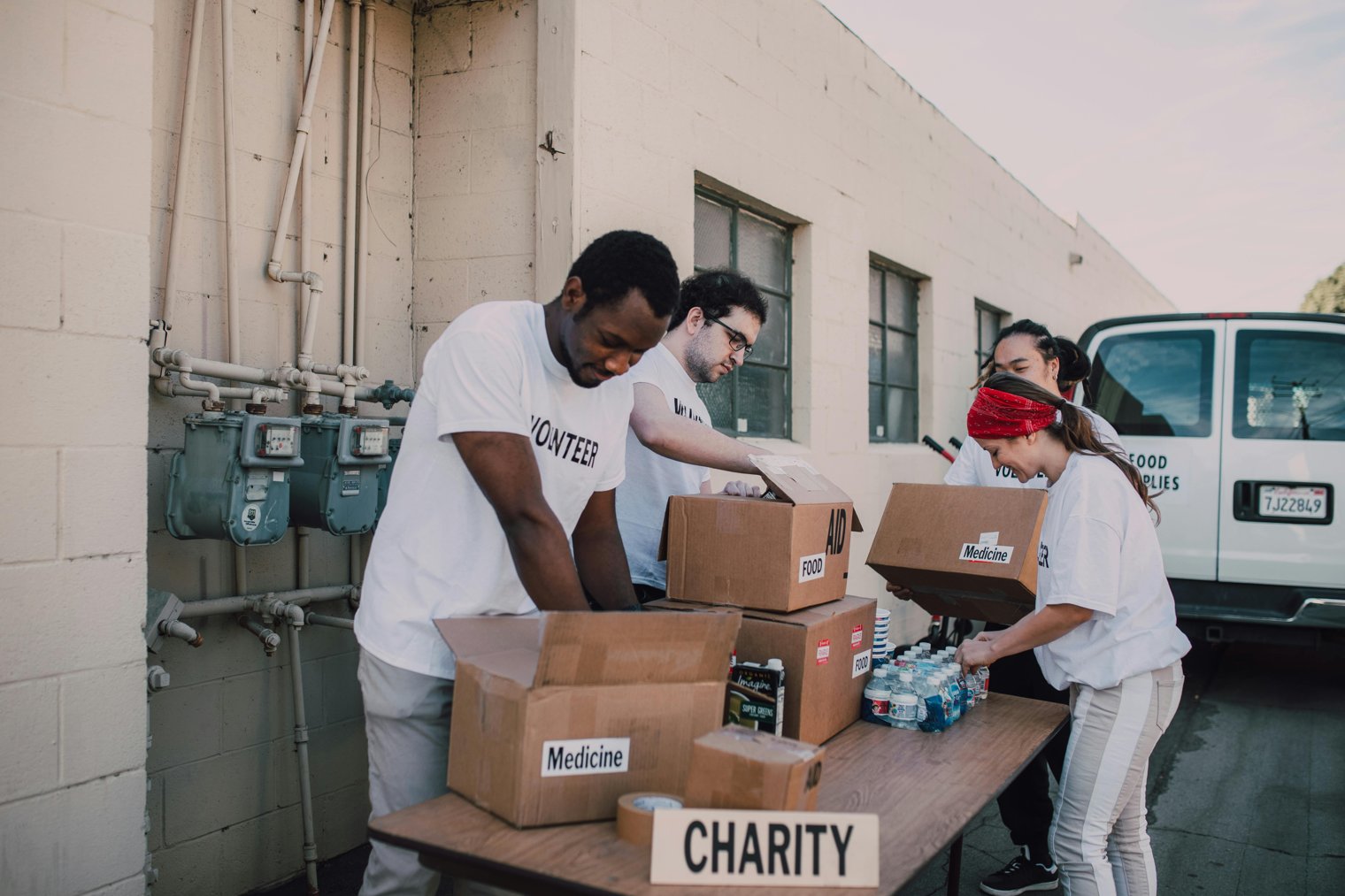
Come together for a cause uniting the community to make a difference.
Organizing a community event for charity can be a fulfilling yet challenging task. It involves careful planning, coordination, and mobilizing local resources to create an event that raises awareness and funds for a good cause. From the first meeting with volunteers to the event day logistics, every detail counts. This scenario highlights the preparation, teamwork, and unexpected moments that come with organizing a successful charity event in your local community.
7:00 AM: Event Setup: Volunteers arriving early to set up tables, tents, and decorations in the park.
10:00 AM: Registration and Welcome: The first attendees start arriving, signing up for the event, and receiving welcome packages.
12:00 PM: The Main Event: Activities and games take place, food is served, and the community engages in different charity-focused activities.
3:00 PM: The Auction or Fundraising Segment: Bidding on donated items and raising funds for the charity cause.
5:00 PM: Wrapping Up: Thanking volunteers and attendees, cleaning up the venue, and counting the proceeds.
Event Venue (Local Park or Community Center)
Overview: The location where the event will be hosted, including areas for food, games, and auctions.
Landmarks: Tables for registration, tents, food stalls, entertainment stages.
Tips: Visit the venue before the event to finalize logistics and ensure all permits are in place.
Charity Donation Station
Overview: A place at the event where people can drop off their donations, whether monetary or goods.
Landmarks: Donation bins, donation counters, signage with instructions on how to contribute.
Tips: Ensure volunteers are stationed to help people with donations and provide receipts for tax deductions.
Sponsor or Partner Booth
Overview: A section where event sponsors or partners can showcase their products or services to promote the cause.
Landmarks: Branded tents, banners, product displays.
Tips: Keep this area accessible for attendees to learn more about the sponsors and encourage their involvement in future events.
Registration Table: A welcoming spot where attendees check in and receive event materials.
Food and Beverage Area: A dedicated section for food trucks or catering services.
Stage for Performances: Where live music, speeches, or performances will be held.
Auction Area: Where items donated for fundraising are showcased for bids.
Volunteer Check-In Booth: A spot for volunteers to sign in and receive instructions.
Kids Play Zone: An area for games, face painting, and activities for children.
Photography Booth: A spot for attendees to take photos with event-themed props.
Health and Wellness Booth: A space for local health professionals to provide screenings or advice.
Merchandise Booth: A place to sell event merchandise for charity.
VIP Lounge: A special area for high-value donors or partners.
Parking Area: Parking spots for guests, with clear signage to direct them to the event venue.
First Aid Station: A designated place for any health emergencies or assistance.
Local Businesses: Partnered local businesses offering services or support.
Community Radio Station: Setting up a booth for live event coverage.
Donation Jar Locations: Smaller stations throughout the event where attendees can drop off donations.
Interactive Stations: Stations where people can engage in activities like painting, raffles, or trivia.
Local Art Exhibits: Displaying artwork donated by local artists for auction.
Social Media Corner: Encouraging attendees to post on social media and share their experience.
Pet Adoption Area: Featuring pets available for adoption, supported by a local animal charity.
Recycling and Sustainability Stations: Promoting environmentally friendly practices during the event.
Event Stage for Announcements: Used for speeches, auctions, and key event moments.
Community Center: For meetings, preparations, and event organizing.
Business Networking Corner: Where professionals can network and discuss future collaborations.
Event Logistics Desk: A place for event coordinators to ensure everything is running smoothly.
Post-Event Lounge: A designated area for volunteers and organizers to relax after the event.
Community, charity, volunteerism, teamwork, giving.
1. Eventbrite: Event Registration
2. GoFundMe: Crowdfunding for Charity
3. Airbnb: Accommodation for Guests
4. Uber: Transportation for Guests
5. Lyft: Ride-Sharing for Guests
6. Grubhub: Food Delivery
7. DoorDash: Food Delivery
8. TaskRabbit: Event Assistance
9. Pinterest: Creative Event Ideas
10. Canva: Event Design Tools
11. Zoom: Virtual Fundraising
12. Google Drive: Event Planning and Collaboration
13. Eventful: Event Promotion
14. WePay: Online Payment Solutions
15. PayPal: Event Payments
16. Shopify: Event Merchandise Sales
17. LinkedIn: Professional Networking
18. Social Media Platforms: Event Marketing
19. Wix: Website Builder for Event Sites
20. Instagram: Event Promotion
21. Facebook: Event Pages
22. Squarespace: Event Website Design
23. Hootsuite: Social Media Management
24. Facebook Ads: Event Marketing
25. YouTube: Event Coverage
26. Grubhub: Catering
27. Amazon: Event Supplies
28. Fiverr: Freelancers for Event Tasks
29. Turo: Car Rentals
30. LinkedIn Learning: Volunteer Training
31. Canva: Event Materials Design
32. TaskRabbit: Volunteer Coordination
33. Mailchimp: Event Email Marketing
34. Eventful: Event Listings
35. Meetup: Community Groups
36. WeTransfer: Document Sharing
37. Evernote: Event Planning
38. SoundCloud: Event Playlist
39. Google Maps: Venue Navigation
40. Kickstarter: Crowdfunding
41. Dropbox: Event Document Storage
42. Venmo: Event Fundraising
43. TikTok: Event Highlights
44. Asana: Event Project Management
45. Slack: Event Team Communication
46. Trello: Event Task Management
47. Eventbrite: Ticketing and Registration
48. PayPal: Event Payments
49. Wix: Event Websites
50. Spotify: Event Playlists
1. Eventbrite: Set up event registration and ticketing.
2. Canva: Design your event materials (flyers, banners, social media posts).
3. TaskRabbit: Hire volunteers or contractors to help with event setup.
4. PayPal: Set up payment options for donations and ticket sales.
5. Shopify: Sell event merchandise and products.
6. Zoom: Host virtual meetings or webinars related to the event.
7. Facebook: Create an event page to gather attendees and spread the word.
8. LinkedIn: Promote the event to professional networks.
9. Google Drive: Collaborate on documents and spreadsheets for event planning.
10. Instagram: Post event-related content to create buzz and engagement.
1. Amazon Web Services (Cloud Hosting for Event Sites)
2. GoPro HERO10 (Event Recording)
3. Canva Pro (Design Tools)
4. Venmo (Peer-to-Peer Payments)
5. TaskRabbit (Freelancer Services)
• Event Fatigue: The stress of organizing can lead to burnout.
• Financial Pressure: Covering costs for the venue, catering, and supplies can be overwhelming.
• Last-Minute Problems: Unexpected issues with vendors or volunteers.
• Low Attendance: Fewer people show up than expected, affecting fundraising efforts.
• Weather Issues: Bad weather can ruin outdoor events.
• Volunteer Coordination: Ensuring volunteers show up and complete their tasks.
• Sponsorship Delays: Sponsors may not fulfill their commitments on time.
• Early Planning: Starting preparations months ahead of the event date.
• Budget Tracking: Keeping a close eye on expenses and donations.
• Volunteer Communication: Regularly updating volunteers on their tasks and responsibilities.
• Social Media Marketing: Consistently posting about the event on multiple platforms.
• Local Networking: Engaging with local businesses and organizations for support.
• Time Management: Dividing your time between work and event preparations.
• Stress Management: Taking breaks and staying focused during the planning process.
• Successful Event Wrap-Up: Achieving the fundraising goal and wrapping up the event successfully.
• Post-Event Reporting: Analyzing event success, participant feedback, and funds raised.
• Thank You Messages: Sending gratitude to volunteers, sponsors, and attendees.
• Preparing for Next Event: Starting the planning process for the next community event.
• Expanding the Event: Turning the charity event into a recurring annual or seasonal event.
Events
You must log in to add an event.
Events for this Scenario
No events found for this scenario yet.
Experiences
Please log in to share your experience.