
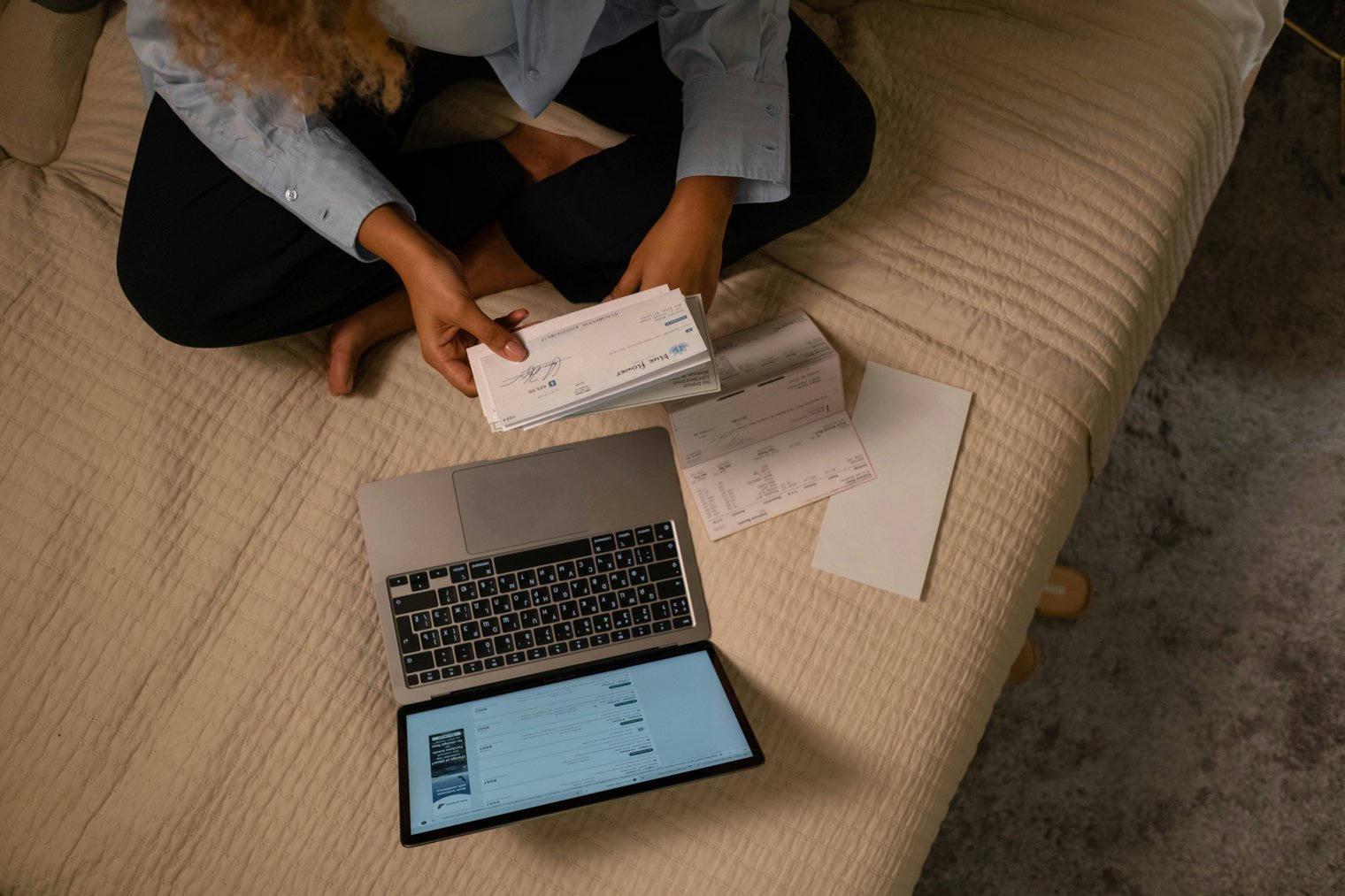
A modern-day task paying bills online, efficiently and securely, from anywhere.
Paying bills online has become an essential part of modern life, offering convenience, security, and the ability to track payments instantly. From utilities to credit card bills, this scenario captures the ease of managing personal finances from the comfort of home. The process involves navigating digital platforms, verifying amounts, and completing transactions securely. It’s a task many people do on a regular basis, ensuring bills are paid on time and with minimal stress.
10:00 AM: You sit down with your laptop, open your browser, and navigate to your bank’s website or payment app.
10:05 AM: You check the bills that are due this week, noting any upcoming payments or changes in amounts.
10:10 AM: You begin entering your payment details, double-checking that the correct accounts are being charged.
10:15 AM: You review the payment one last time, ensuring everything looks correct before clicking the "pay" button.
10:20 AM: You receive a payment confirmation and feel relieved that the task is complete.
Your Bank's Website (Any location)
Overview: The digital space where you manage your finances, review recent transactions, and pay bills.
PayPal (Online)
Overview: An online payment platform used by millions for paying bills, sending money, and receiving payments.
Your Utility Provider's Website (Any location)
Overview: The website where you pay for utilities such as electricity, water, or gas.
PayPal (Online): An online payment platform for managing bills, subscriptions, and other payments.
Venmo (Online): A digital payment service for transferring money and paying bills.
Your Bank’s Mobile App (Any location): The app where you can pay bills, check balances, and transfer funds securely.
Amazon (Online): For paying subscriptions like Amazon Prime or other service-based bills.
Netflix (Online): A streaming service where you pay a monthly subscription bill.
Spotify (Online): A music streaming service with a monthly subscription fee.
Xfinity (Various Locations): A telecommunications company for paying internet, cable, and phone bills.
Verizon (Various Locations): A telecommunications company for paying mobile phone or internet bills.
AT&T (Various Locations): A provider for paying mobile phone, internet, or television service bills.
T-Mobile (Various Locations): A mobile network operator where you manage and pay phone bills.
The Home Depot (Various Locations): A retailer where you can pay your store credit card bill online.
Best Buy (Various Locations): A retailer with credit cards for which you can make payments online.
Netflix (Online): A subscription service for which you pay your monthly fee.
Hulu (Online): Another streaming service with a recurring monthly payment.
Amazon Prime (Online): A subscription service for which you regularly pay for access to benefits.
Comcast (Various Locations): For paying your cable and internet bills online.
Adobe (Online): For paying for software subscriptions like Adobe Creative Cloud.
Apple iTunes (Online): For paying your iCloud storage or iTunes subscriptions.
Hulu (Online): A subscription streaming service with regular payment options.
Dropbox (Online): For paying your storage fees for cloud storage on a monthly basis.
HBO Max (Online): A video streaming service with a monthly subscription fee.
DirectTV (Various Locations): For paying your satellite TV subscription.
Time Warner Cable (Various Locations): For paying cable and internet service bills.
Paytm (Online): A digital wallet that lets you pay bills for utilities, loans, and other services in India.
Google Play (Online): A platform for managing app subscriptions and purchases through your Google account.
Financial Management, Convenience, Security, Online Services, Organization
1. PayPal: Online Payment Platform
2. Venmo: Online Payment Platform
3. Your Bank’s Mobile App: Banking App
4. Amazon: E-Commerce Platform
5. Netflix: Streaming Service
6. Spotify: Streaming Service
7. Xfinity: Telecommunications Provider
8. Verizon: Telecommunications Provider
9. AT&T: Telecommunications Provider
10. T-Mobile: Telecommunications Provider
11. The Home Depot: Retailer
12. Best Buy: Retailer
13. Comcast: Cable & Internet Service
14. Hulu: Streaming Service
15. Apple iTunes: Music & Media Service
16. Dropbox: Cloud Storage Service
17. Adobe: Software Provider
18. HBO Max: Streaming Service
19. Google Play: App Store
20. DirectTV: Television Service Provider
21. Time Warner Cable: Cable & Internet Service
22. Paytm: Digital Wallet
23. Bank of America: Banking Service
24. Chase Bank: Banking Service
25. Wells Fargo: Banking Service
26. Capital One: Banking Service
27. Discover Bank: Banking Service
28. American Express: Credit Card Service
29. Citi Bank: Banking Service
30. Mint: Financial Management App
31. YNAB: You Need A Budget App
32. QuickBooks: Accounting Software
33. Personal Capital: Financial Planning App
34. Acorns: Investment App
35. Robinhood: Investment App
36. Square: Payment System
37. Stripe: Payment Gateway
38. QuickBooks: Accounting Software
39. Mint: Budgeting App
40. Tally: Debt Management App
41. Ally Bank: Online Bank
42. Green Dot: Prepaid Cards
43. SoFi: Personal Finance App
44. Coinbase: Cryptocurrency Exchange
45. Chime: Mobile Bank
46. Google Pay: Payment Platform
47. Apple Pay: Payment Platform
48. Samsung Pay: Payment Platform
49. Zelle: Banking App
50. Venmo: Payment Platform
1. PayPal (Online)
2. Your Bank’s Mobile App (Mobile Payment)
3. Venmo (Online)
4. Amazon (E-Commerce)
5. Hulu (Online Streaming Service)
6. Netflix (Online Streaming Service)
7. Xfinity (Cable Service)
8. Spotify (Streaming Service)
9. Bank of America (Banking App)
10. Mint (Budgeting App)
• Credit or Debit Card:
• Bank Account Information:
• Mobile App or Website for Payment:
• Payment Confirmation Email or Receipt:
• Security Code or Password:
• Internet Connection:
• Bills List or Schedule:
• Auto-Pay Setup:
• Email for Confirmation:
• Personal Identification Information:
• PayPal (Online Payment System)
• Venmo (Payment App)
• Bank of America (Banking Service)
• Amazon Prime (Subscription Service)
• Mint (Budgeting App)
• Late Fees: Missing a payment deadline can result in penalties.
• Overpayment: It’s easy to overpay if you don’t check the bill carefully.
• Fraud Risks: Sharing payment information online can expose you to fraud.
• Connection Issues: Sometimes, slow or interrupted internet can delay payments.
• Forgotten Payment: Missing a recurring bill can cause service interruptions.
• Security Concerns: Using unsecured platforms can put your payment information at risk.
• Hidden Fees: Some services may have hidden fees not visible upfront.
• Setting Up Auto-Pay: To ensure you never miss a payment.
• Checking Bills Early: Reviewing your bills ahead of the due date to avoid last-minute payments.
• Using Digital Wallets: Storing your payment methods for quick, secure payments.
• Confirming Payments: Double-checking payment confirmations and receipts.
• Reviewing Bills: Going over statements to ensure all charges are correct.
• Saving for Bills: Setting aside funds specifically for bill payments.
• Using Alerts: Setting up alerts to remind you of upcoming payments.
• Confirm Payment: Ensure you have received a confirmation email or receipt.
• Review Payment Schedule: Set reminders for the next payment.
• Organize Payments: Sort out your next due dates in your calendar.
• Reset Auto-Pay: Make adjustments to your auto-payment schedules if necessary.
• Save Payment Records: Keep digital records of your payments for future reference.
Events
You must log in to add an event.
Events for this Scenario
No events found for this scenario yet.
Experiences
Please log in to share your experience.