
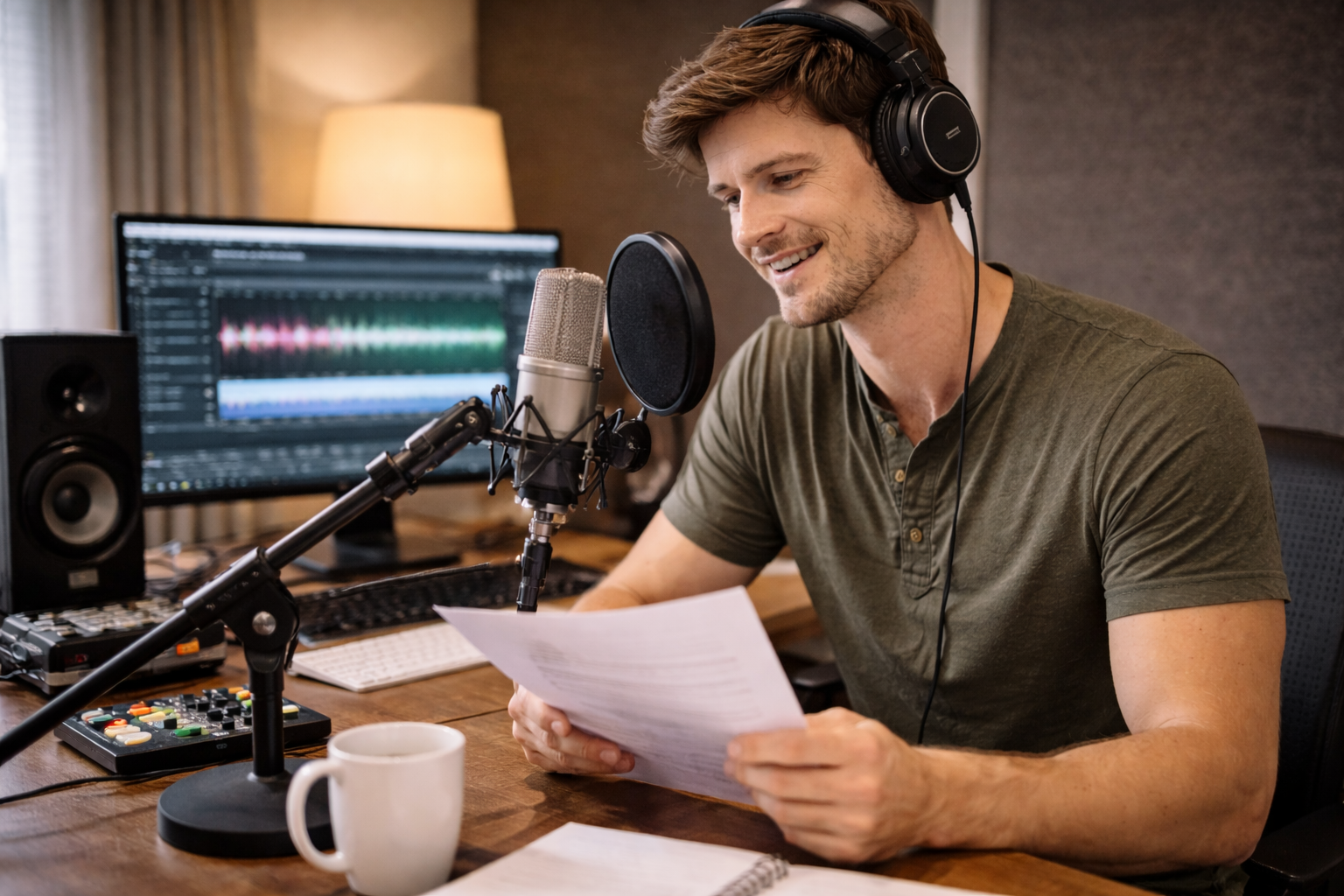
Bring your voice to life create the perfect voice-over for your project.
Recording a voice-over for a video is an essential part of many video projects, such as tutorials, advertisements, documentaries, or podcasts. It involves carefully recording narration or dialogue while ensuring it matches the video’s pacing and tone. Whether you’re working with a professional setup or a home studio, getting the right sound is crucial to producing a high-quality video. This scenario covers the steps, tips, and tools necessary to record and perfect your voice-over.
10:00 AM: You open your video editing software and load the video project.
10:05 AM: You review the script and take notes on tone, pacing, and key points.
10:10 AM: You set up your microphone, adjust the sound levels, and prepare the recording environment.
10:15 AM: You start recording your voice-over, ensuring each line is clear and expressive.
10:30 AM: You finish recording, listen to the playback, and make any necessary edits for timing or clarity.
Home Studio (Personal Setup)
Overview: A quiet, comfortable space set up with the necessary recording equipment for a professional or semi-professional recording.
Landmarks: Microphone, soundproofing materials, computer with recording software.
Tips: Ensure you are in a room with minimal background noise, using soft materials like blankets or pillows to reduce echoes.
Professional Recording Studio (Commercial or Rental)
Overview: A professionally designed space equipped with high-quality microphones, soundproofing, and experienced technicians.
Landmarks: Soundproof walls, high-end microphones, control panels.
Tips: If you're recording for a project with a budget, a professional studio can provide superior quality and guidance.
Podcast Recording Booth (Co-working Space)
Overview: A soundproof, controlled environment designed for podcasts and voice recordings, available for rent.
Landmarks: Booths with microphones, headphones, and recording software.
Tips: These spaces often have all the necessary equipment and a quiet atmosphere, perfect for clear, crisp recordings.
Home Studio (Personal setup)
Professional Recording Studio (Commercial or rental)
Podcast Recording Booth (Co-working spaces like WeWork)
Soundproof Recording Room (A dedicated room with soundproofing)
Music Production Studio (For advanced voice recording and music synchronization)
Freelance Audio Booth (Freelance voice talent using rented booths)
Independent Recording Space (Personal recording space designed for podcasting or voice-overs)
Audio Recording Lab (University or research lab offering recording services)
Recording Studio in a Library (Available at public libraries or community centers)
Soundproofed Garage or Basement (DIY setup at home)
Video Editing Studio (Where video editing and voice-over syncing occur)
Radio Station Studio (For voice-over work in radio stations)
Movie Studio (For high-end voice-over work related to film)
Co-working Space with Recording Booths (Shared workspace with dedicated booths for audio recording)
Local Media Station (Local news or media companies offering recording spaces)
Film Production Studio (Studios for voice-overs synced to film productions)
Digital Media Production Studio (For digital video, podcasts, and media production)
Voice-Over Talent Agency (For professionals providing voice-over services)
YouTube Creator Studio (Studio space provided by YouTube for creators)
Fiverr Studio (For freelancers offering voice-over services)
Upwork Studios (For freelance workspaces including voice-over services)
Sound Design Studio (For mixing voice-overs with sound effects)
Audiobook Recording Studio (Used for audiobook recordings, perfect for voice-over work)
Corporate Office Audio Rooms (For in-house training or promotional voice-overs)
Video Production Agency (For complete video production including voice-over services)
Audio Quality, Creativity, Communication, Video Production, Professionalism
1. Adobe Audition: Audio editing software
2. Audacity: Free, open-source audio editing tool
3. GarageBand: Apple’s audio editing tool
4. Reaper: Digital audio workstation for professionals
5. Logic Pro X: Advanced audio production software
6. Pro Tools: High-end audio editing software
7. Zoom H6: Portable audio recorder for voice-over
8. Blue Yeti: Popular USB microphone for home recording
9. Shure: Audio equipment brand, microphones
10. Rode: Audio equipment brand
11. Sennheiser: Headphones and microphones for audio recording
12. Audio-Technica: Audio equipment brand
13. Fiverr: Freelance voice-over services
14. Upwork: Freelance voice-over talent
15. Voices.com: Voice-over marketplace
16. SoundCloud: Audio hosting platform
17. YouTube: Video hosting platform for voice-over projects
18. Vimeo: Video hosting platform for voice-over projects
19. Zencastr: Remote podcasting and voice-over recording
20. iZotope RX: Audio restoration software
21. Hindenburg Journalist: Audio editing software for podcasters
22. Auphonic: Audio processing platform
23. Adobe Premiere Pro: Video editing with integrated voice-over
24. Final Cut Pro: Mac video editing software with voice-over integration
25. Camtasia: Screen recording and voice-over software
26. Audition Pro: Advanced audio editing software
27. Descript: Transcription and audio editing software
28. Soundtrap: Online audio recording tool
29. Wavemaker: Cloud audio editing tool
30. Fiverr Studios: Freelance audio editing and recording services
31. Upwork: Freelance service for voice-over recording
32. StudioLink: Voice-over recording service platform
33. SoundCloud Pro: Professional audio editing and hosting
34. Riverside.fm: Remote voice-over recording tool
35. Otter.ai: Voice transcription and audio services
36. Tascam: Audio recorders
37. Shure SM7B: Dynamic microphone for voice recording
38. Rode NT1-A: Condenser microphone for voice-over work
39. Blue Snowball: Affordable USB microphone for voice-overs
40. Audio-Technica AT2020: Affordable condenser microphone
41. Skype: For remote voice recording
42. Zoom: For remote voice-over recording
43. WeTransfer: File-sharing service for large audio files
44. Dropbox: Cloud storage for voice recordings
45. Google Drive: Cloud storage for project files
1. Adobe Audition Setup (Install and open software for recording)
2. Audacity Setup (Download and prepare for recording)
3. GarageBand Setup (Set up for voice-over recording)
4. Professional Recording Studio Setup (Book an appointment)
5. Rode Mic Setup (Microphone for home recording)
6. Shure Mic Setup (Setup for clear, professional audio)
7. Zencastr Setup (Online platform for remote recording)
8. Soundtrap Setup (Cloud-based recording platform)
9. Voice Recording App Setup (App setup for iPhone or Android)
10. Remote Voice-Over Talent Setup (Set up for recording with remote professionals)
• High-quality Microphone (USB or XLR):
• Audio Interface (For professional mic connections):
• Headphones (For monitoring your recording):
• Recording Software (Audacity, Adobe Audition):
• Quiet Environment (Soundproof room or booth):
• Pop Filter (For clean vocals):
• Microphone Stand (For stable positioning):
• Soundproofing Materials (To minimize echo):
• Recording Script (For the voice-over):
• Audio Editing Software (For final adjustments):
• Shure SM7B (Professional microphone)
• Rode NT1-A (Condenser microphone)
• Adobe Audition (Audio editing software)
• Blue Yeti (USB microphone)
• Audacity (Free audio editing software)
• Background Noise: Even in a quiet space, background noise can be an issue.
• Mic Distortion: Poor mic placement or too much volume can cause distortion.
• Unclear Script: A poorly written script can cause confusion during the recording.
• Audio Sync Problems: Syncing the voice-over with video can be challenging.
• Technical Difficulties: Equipment or software issues can arise during recording.
• Time Constraints: Voice-overs can take time, especially for long scripts.
• Editing Complexity: Editing the audio for clarity and smoothness may take longer than expected.
Testing audio levels before starting a recording.
Rehearsing the script for natural delivery.
Taking breaks to avoid vocal strain.
Listening back to recordings to ensure quality.
Editing audio immediately after recording to avoid backlog.
Organizing audio files in labeled folders for easy access.
Using remote recording tools for professional sessions.
Save the recording as a high-quality file (WAV, MP3).
Share the final recording with a video editor or project manager.
Export the final voice-over and integrate it into the video.
Archive unused recordings for future use.
Clean up the recording environment and gear for the next session.
Events
You must log in to add an event.
Events for this Scenario
No events found for this scenario yet.
Experiences
Please log in to share your experience.